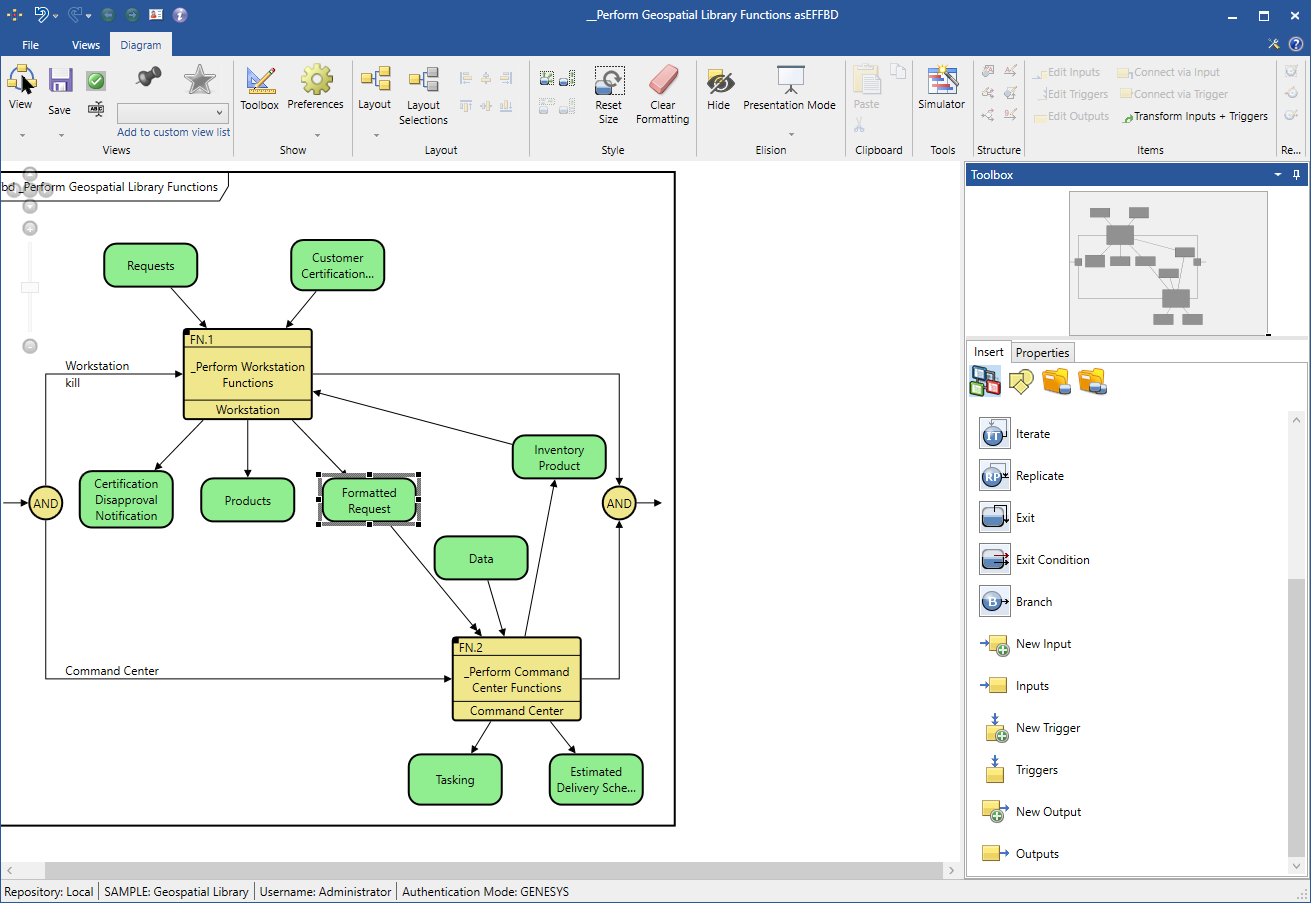
The Transform Inputs + Triggers command, accessed on the Diagram ribbon, transforms an input to a trigger in behavioral diagrams.
The function that invokes the trigger must execute before the trigger executes.
To transform the input, select the input and click the Transform Inputs + Triggers button. Clicking the button again transforms the input back.
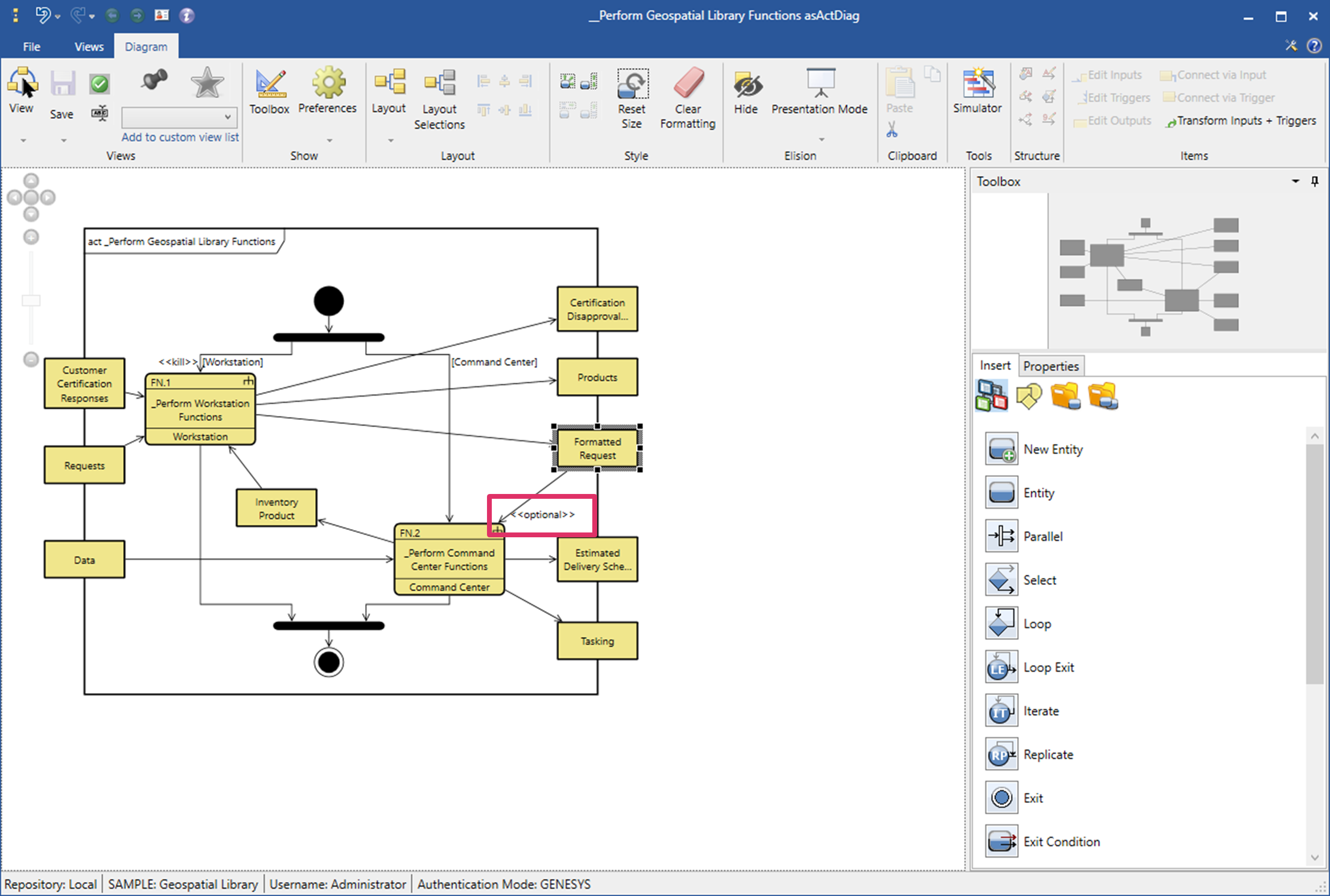
The Activity diagram is shown below with the trigger turned off. The word "optional" appears next to the input.
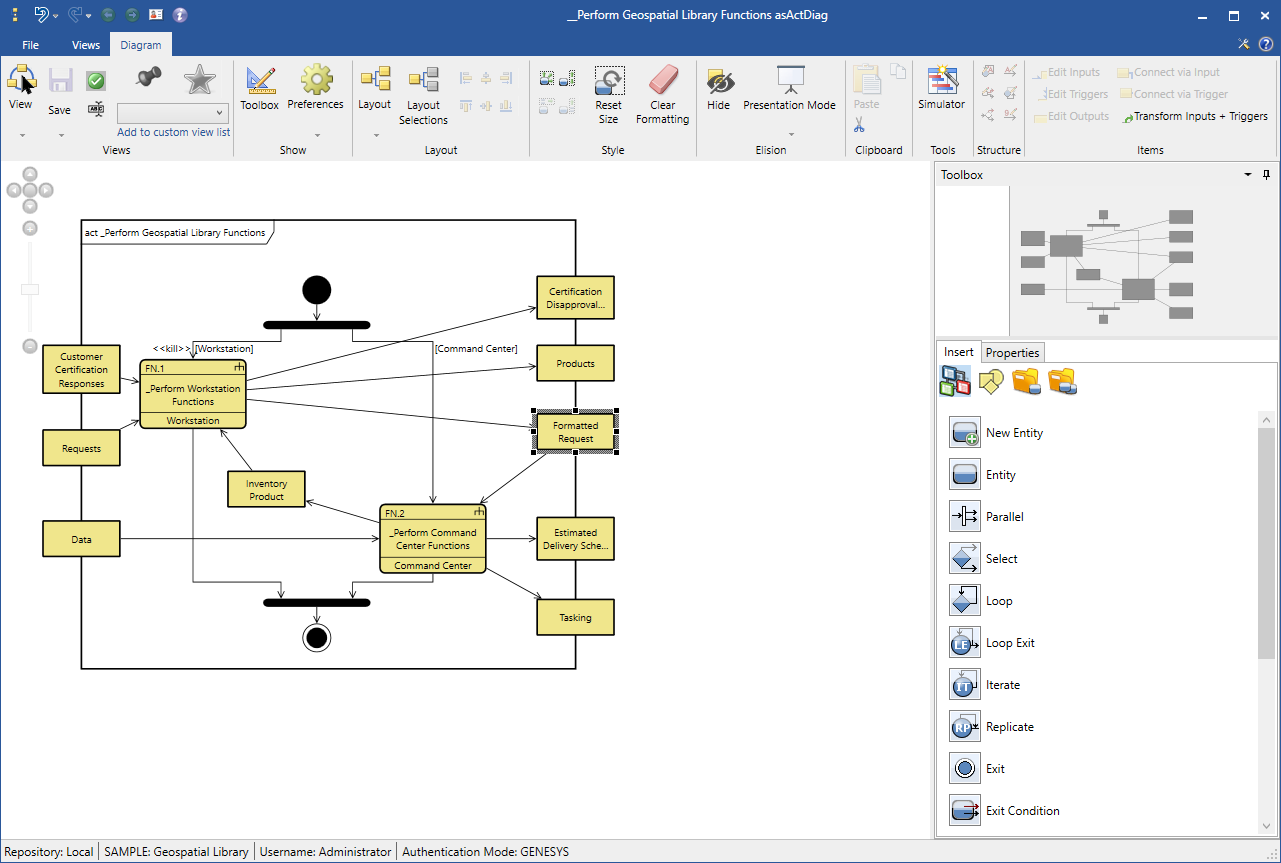
When the trigger is turned on, the word "optional" next to the input disappears from the diagram.
On an EFFBD diagram, a gray item indicate that the trigger that the function invokes executes in the current diagram. A green item on an EFFBD diagram indicates that a trigger exists and executes somewhere in the system but not in the existing diagram.
In the EFFBD diagram shown below, the trigger invoked by the gray item is turned off. A single, solid arrowhead is shown going into the function.
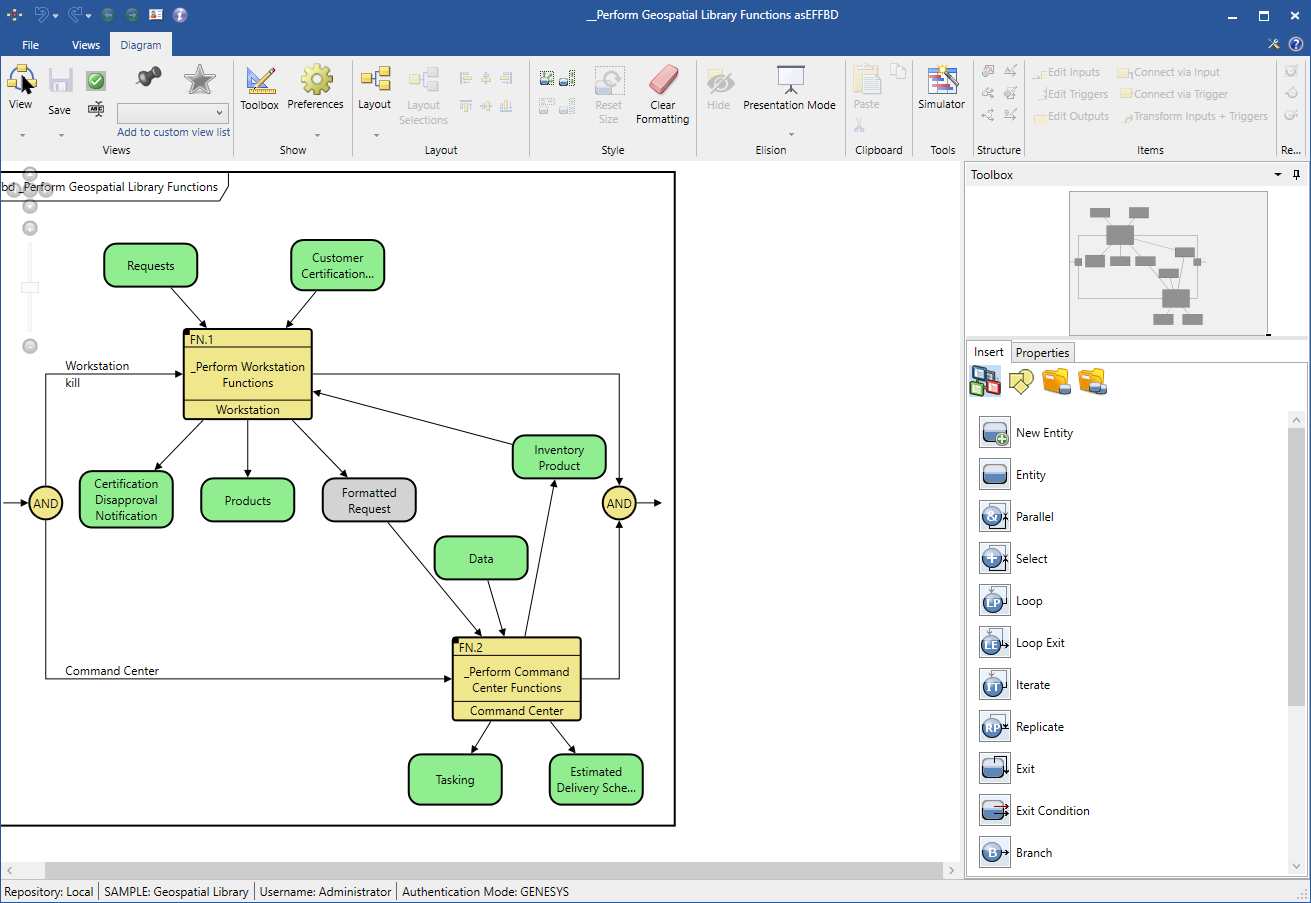
When the trigger is turned on, the item changes color from gray to green and the arrowhead going into the function changes to a double arrowhead, as shown below.