
Administrative Tools

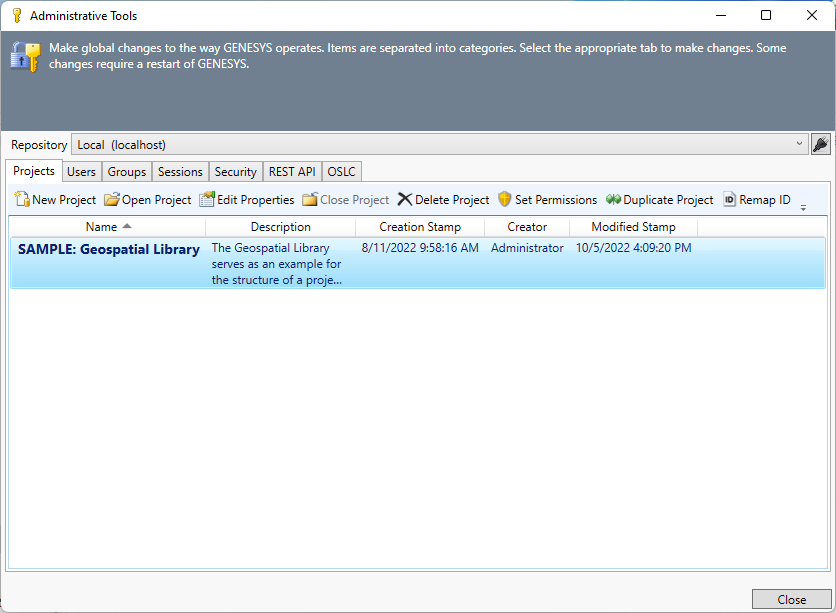
Administrative Tools provides centralized access to many of the higher-level system administration capabilities of GENESYS. From this integrated window, you can manage:
-
Projects - create and delete projects; edit project properties and permissions
-
Users - create, edit, and delete users
-
Groups - create, edit, and delete groups
-
Sessions - manage user sessions.
-
Security - manage user authentication and password rules
-
REST API - configure the REST API from within GENESYS Administrative Tools
-
Open Services for Lifecycle Collaboration (OSLC) - manage keys and passwords for OSLC connection
Select Administrative Tools on the GENESYS Home screen, or click the Admin Tools icon on the Utilities ribbon, to access the Administrative Tools window, shown below.

|
NOTE: |
What privileges are required to administer users and groups? To create or modify user/group accounts or administer server sessions requires the user to be part of the system administrator group. Project administrators can grant users permission to access a project, but system administrators can create, delete, or otherwise change a user account. |