
The Masks feature in GENESYS provides the capability to hide entities, attributes, parameters, parameter fields, properties, and/or relationships, enabling users to focus on a subset of the schema that the audience for their viewpoint needs to see.
To access the Masks feature in GENESYS, click the arrow next to Utilities in the Project Explorer pane and then select Masks.
The available masks display in the Browser pane.
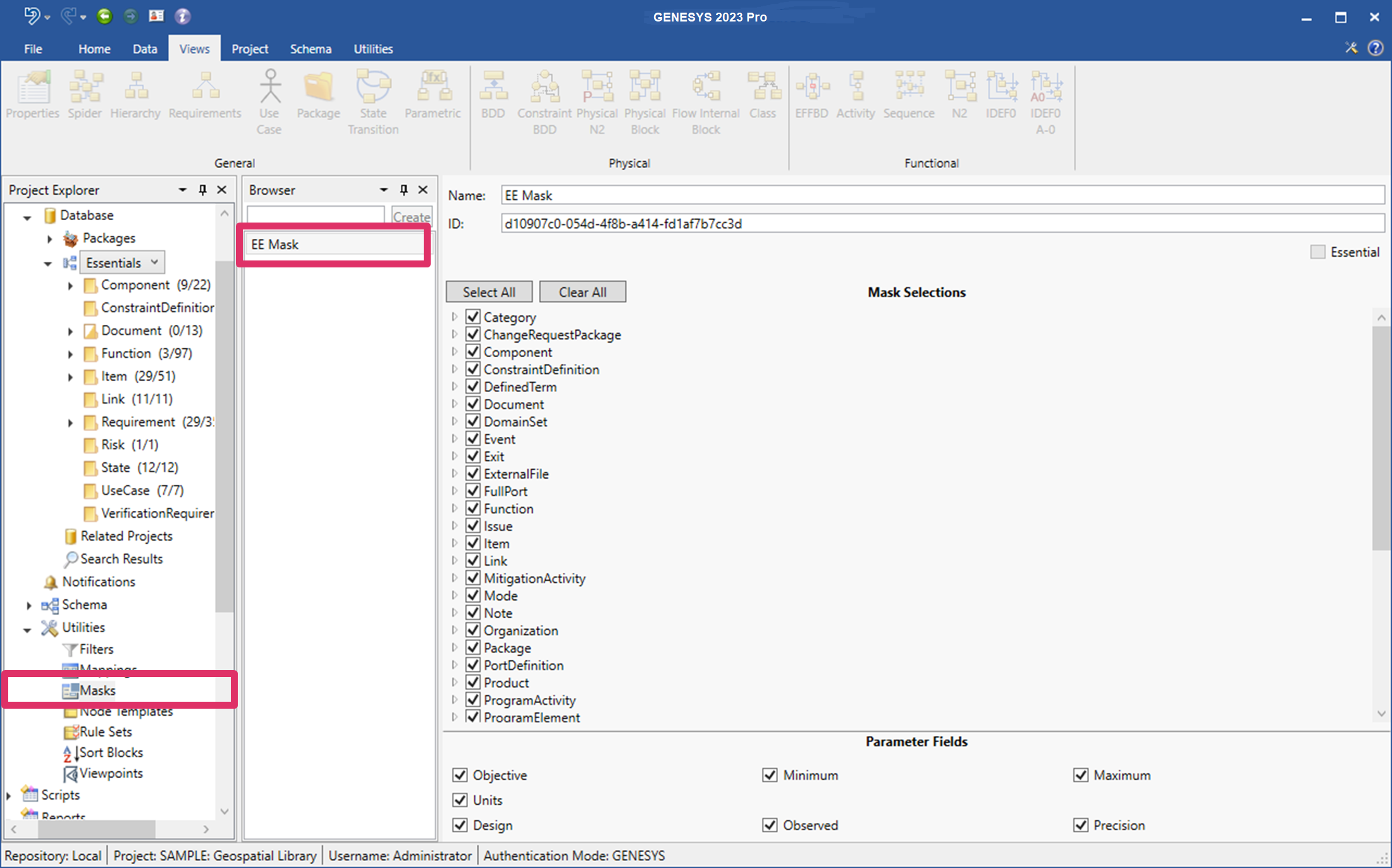
Mask Properties
Masks contain the following two properties:
-
Name
-
ID - must be unique
Mask Commands
Mask commands include:
|
NOTE: |
Masks can be imported and exported into other projects. |