

The Job Monitor enables you to view existing jobs and their status until a Purge command is executed.
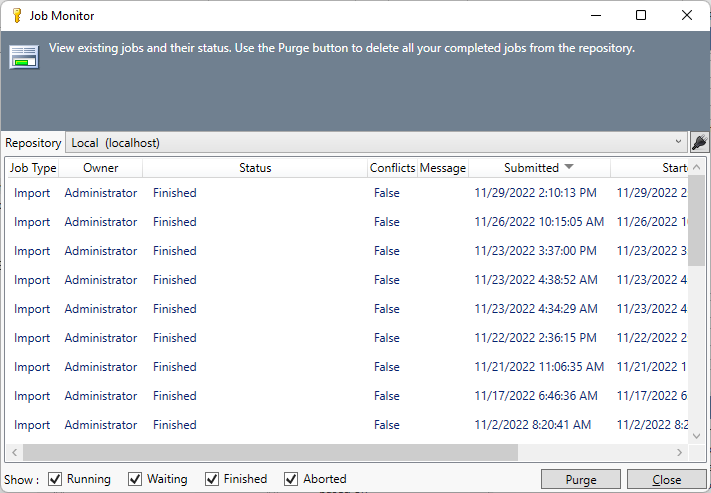
The Job Monitor contains the following columns which can be used to sort the information in the table:
-
Job Type - Export or Import.
-
Owner - The user who executed the command.
-
Status - The status of the job. This can include Running, Finished, Finished with Conflicts. There is also a hyperlink for Export jobs that allow you to download the file again.
-
Conflicts - If the action caused any conflicts to be reported.
-
Message - Additional information if a conflict was reported.
-
Submittted - The date and time that the job was submitted.
-
Started - The date and time that the job started.
-
Finished - The date and time that the job completed.
There are 4 options at the bottom of the table which will allow easy filtering of the jobs - Running, Waiting, Finished, Aborted. These can be selected individually so you can select/deselect those that you wish to.
Commands
Purge - removes all jobs that are either completed or were aborted.
Close - closes the window.