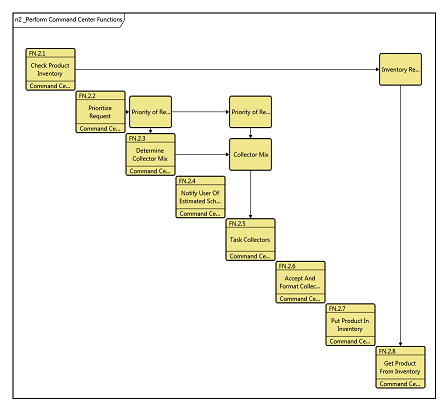
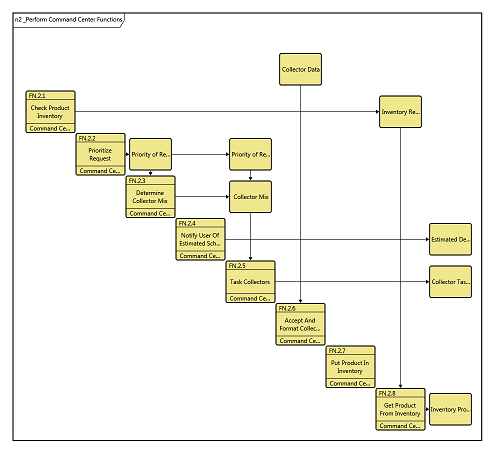
The Show External Items command allows you to toggle this common N2 diagram (behavioral, interface, and physical) setting directly from the ribbon (it can also be set via the local diagram options). This setting controls whether to display a row at the top of the diagram representing inputs / connections from outside the parent entity and a column along the right representing outputs / connections to external entities. Showing external items helps identify connections across boundaries.
|
NOTE: |
To show or not to show? Though extremely valuable, the display of external items is a non-standard extension to the N2 diagram and therefore may not be desirable in certain situations. If your audience is familiar with classical N2 diagrams, you may be better off not showing external items unless you are explicitly trying to communicate connections across boundaries. |