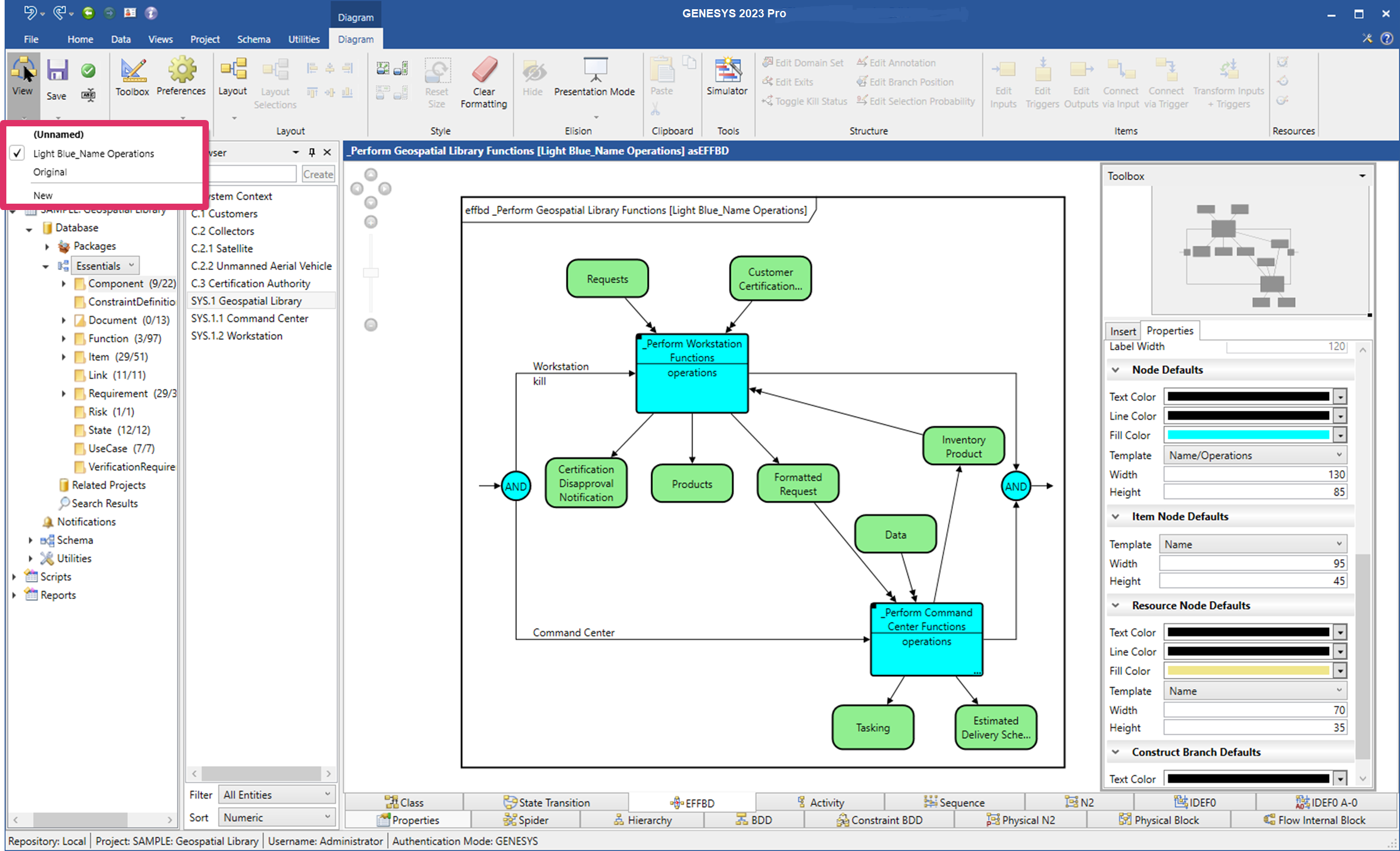
New View Based on Formatted View
If you add new formatting to a view using the toolbox properties and then save it with a new name by clicking Save on the Diagram ribbon, you can base other views on this formatted view.
-
Open the view that you want to base a new view on, add any additional formatting changes, and then click Save As on the Diagram ribbon to save the new view with a new name.
The view below, named Light Blue_Name Operations, created from the same diagram, was based on a previously-formatted view that used a template containing name and operations information and light blue fill color selected for the nodes.