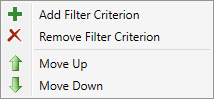
To sort the rules, rule conditions, or rule actions in a different order, highlight the rule, condition, or action in the window and click the green Move Up or Move Down arrow to move the rule, condition, or action up or down, respectively, in the list. Alternatively, right-click on the rule, condition, or action and select the Move Up or Move Down arrows from the drop-down menu that appears.