
Project Explorer Overview
Project Explorer, the left pane on the GENESYS window, is the base point for navigating your system model. It provides a classic explorer interface customized to the specific needs of systems engineering. From within Project Explorer, you have complete access to all aspects of your project - the underlying metadata (the schema), the utilities to tailor and enrich your experience, and most importantly, your system model.
The classic organization of a model within GENESYS has been via top-level Folders based on the classes defined in the CSDL schema. This approached has been supplemented by the concept of Basic Package which allows users to group entities of any class based on criteria they specify. Up until the release of GENESYS 2025, this was the only supported means of model organization and navigation.
With the release of GENESYS 2025 and onward, the Project Explorer now supports two different model organization approaches, each with a different tab. The classic organizational approach based on Folders, Basic Packages, and Digital Thread Packages is now labeled the "Classes." The new tab, "Containment", supports SysML containment-based model organization.
The Containment Tab shows only the model organizational structure based on the "owns/owned by" relationship.
The Classes Tab shows model organization based on Folders, Basic Packages, and Digital Thread Packages. Additional information is also available: Independent Views, Related Projecsts, Search Results, Notificaitons, a read-only version of the Schema, Utilities, Scripts, and Reports.
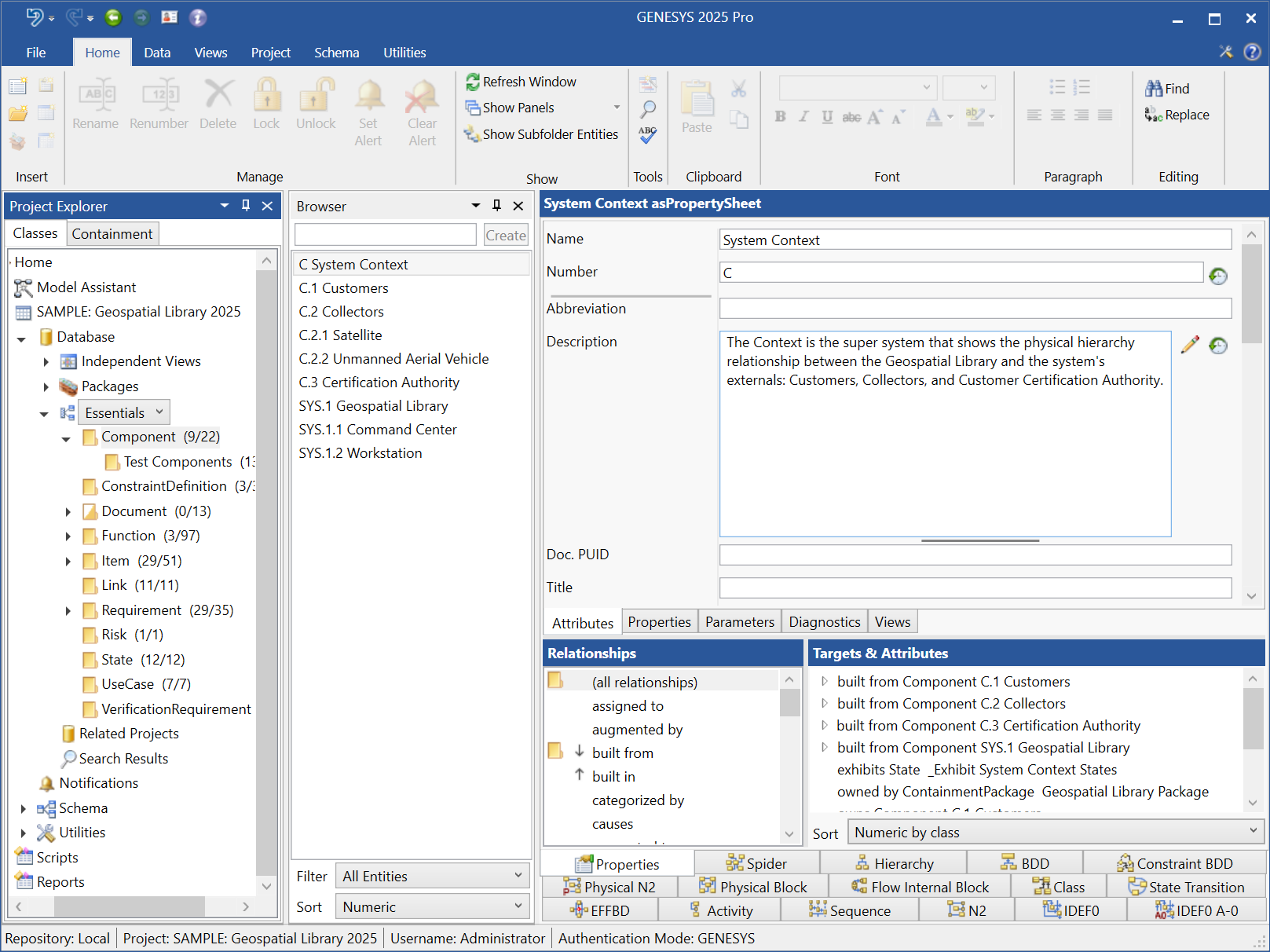
Project Explorer - Classes Tab