

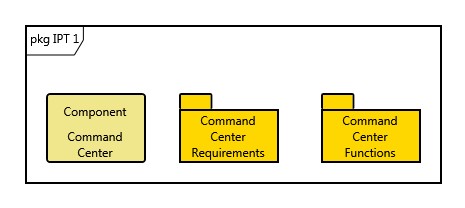
The Package diagram is a graphical representation of model management containers. The Package diagram is available for entities in the Package class as well as entities in the Category class.
Packages are fundamentally tools for model management. They are a type of container that can contain diagrams, entities, and other packages (creating a nested structure). This provides for a user-defined grouping of objects. One packaging strategy could be by integrated project team. One could be by the utilities mappings for a document structure. One could be by DoDAF viewpoint. In any case, the key is that the packaging be at the discretion of the user.
|
NOTE: |
A good reference for further information on package diagrams is chapter 6 of A Practical Guide to SysML: The Systems Modeling Language by Sanford Friedenthal, Alan Moore, and Rick Steiner (2012). |
Diagram Options
The package diagram settings do not include any special diagram options beyond the classic diagram options.
Diagram Toolbox
The constructs and key entities tabs allow you to quickly package entities in your model, while the all entities tab enables you to relate your diagram entities to the remainder of your system definition.
Constructs
-
New Package - drop onto the diagram background to create a new package (or category if the diagram was opened on a category) as a subpackage (included in)
-
Packages - drop onto the diagram background to relate an existing package (or category if the diagram was opened on a category) as a subpackage (included in)
Utilities
-
Image - drop onto the diagram to insert a new picture
-
Note - drop onto the diagram to insert a new note (descriptive text in a note icon)
-
Shapes - drag one of the shapes from the toolbox and drop onto the diagram to insert a new shape
Key Entities
-
For the package diagram, the key entity tab lists all target classes for the packaging relation (packages for the Package class, categorizes for the Category class). Dropping an entity onto the diagram adds it to the package or category.
All Entities - all classes and entities in the system model, allowing you to drag any entity on top of a diagram node to establish relationships with the balance of your system model.
Context Menu Commands
-
Arrange
-
-
Submenu listing entities
-
Tips and Tricks
-
Packages provide an alternative navigation structure in GENESYS. In addition to being first class entities with attributes and relationships, they are displayed in the project explorer, providing you a customizable map into your system model to accompany the database-centric representation of classes and folders.
-
Entities can be included in more than one package. This allows you to establish multiple package-based navigation schemes - by integrated project team, by level, etc.