
The most common supporting application in the systems engineer's environment is the Microsoft Office suite. This is particularly true when interacting with project and program management functions. Communications with stakeholders, management, and contractors are often delivered through PowerPoint presentations. Project planning and management offices frequently use Microsoft Project to project, track, and report project progress. Engineers and managers alike rarely deliver work products that aren't created in Excel, as it has become the multi-functional workhorse of the program suite, providing customizable spreadsheets to meet most communication needs.
In order to ease the interface with the Office environment, GENESYS provides native connectors embedded within Excel, PowerPoint, and Project. These connectors allow Office users to log into GENESYS directly from Office and connect to the information of interest without ever leaving the environment within which they are comfortable the ultimate in your data your way.
The Excel Connector enables you to download any entity, attribute, parameter, or relationship from your project into an Excel spreadsheet and then upload changes to your GENESYS database.
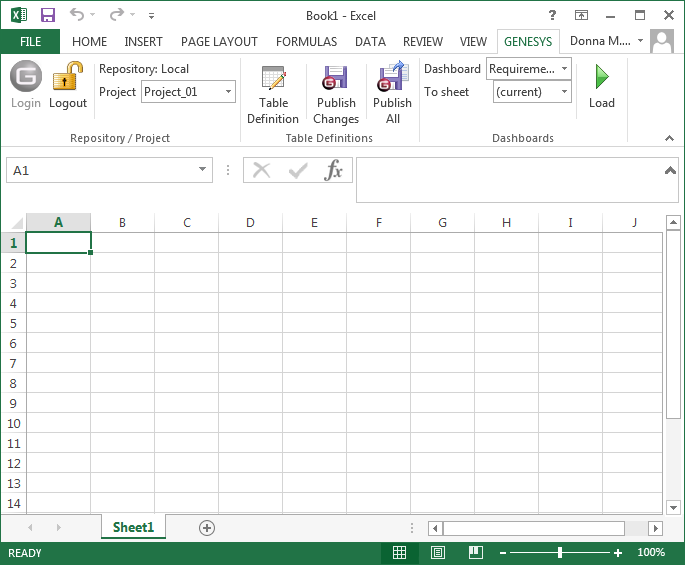
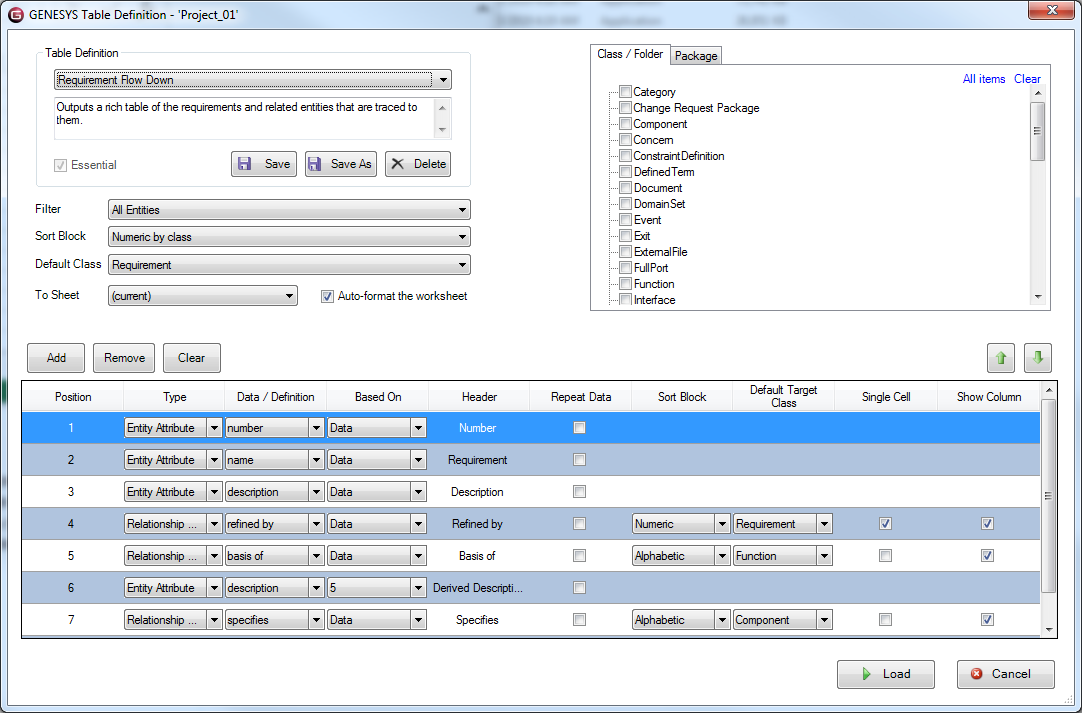
You control the information in your spreadsheet through table definitions. The table definitions are stored as part of your project in GENESYS so all users can access them.
|
NOTE: |
To learn more about the Excel Connector, please refer to the Microsoft Excel Connector Guide located in the Documentation folder. |