
New Mapping
To create a new mapping:
-
In Project Explorer under Utilities, right-click Mappings and select Mapping. or enter a name for the new mapping in the box at the top of the Browser pane and cick Create. Alternatively, right-click in the Browser pane and select New Mapping from the drop-down menu that appears. You can also access this command on the Data ribbon.
-
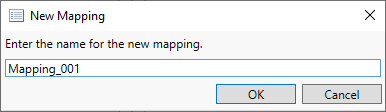
Enter a name for the mapping in the window that displays. Mapping names must be unique.
The new mapping appears in the Browser pane.